Flat-rate document management for hospital facilities and capital-projects teams. Every scanned sheet is OCR'd, the archive is organized by site, building, floor and trade, and contractors see only their project.
Flat-rate pricing, published below. Card required at checkout, not charged until the trial ends.
Someone needs the original mechanical drawings for a wing built before anyone on the team arrived. Finding them depends on who is still here and what they remember.
The sheet exists as a scan somewhere. Nothing inside it is searchable, so the search is a walk to the plan room, not a query.
The ZIP is stale the moment a revision is issued. The shared login never gets turned off when the project ends.
Facilities staff open a drawing a couple of times a month. Per-seat tools price that like daily use, so the drawings stay on a share drive.
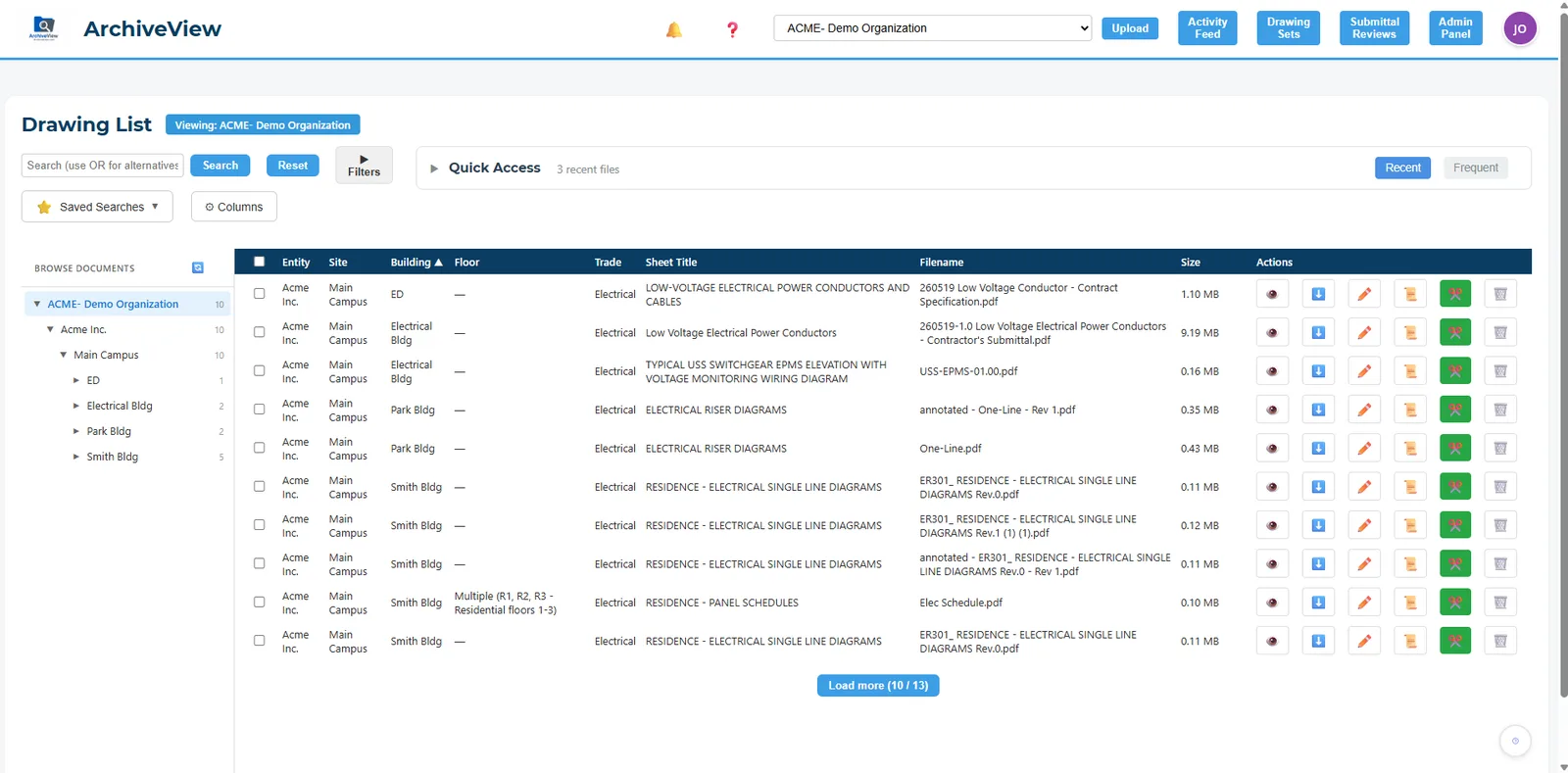
Every document lands under entity, site, building, floor and trade. Search matches the text inside scanned sheets, filenames, sheet numbers and sheet titles, and partial words: "spec" finds "Specification".
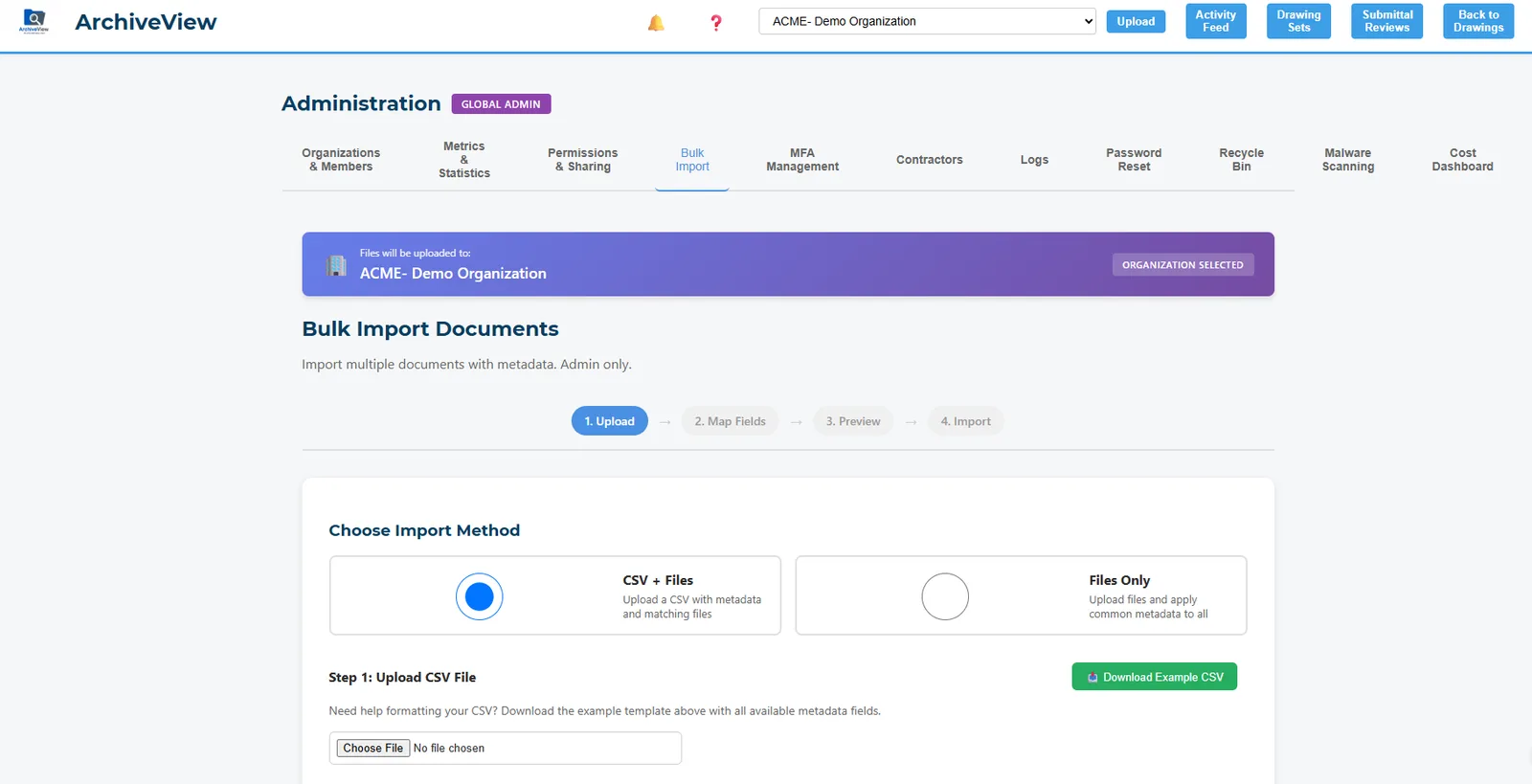
Bulk-import an entire archive with a CSV and your files, or let AI read title blocks to fill in building, floor, trade and sheet number. Files land in the right folders automatically.
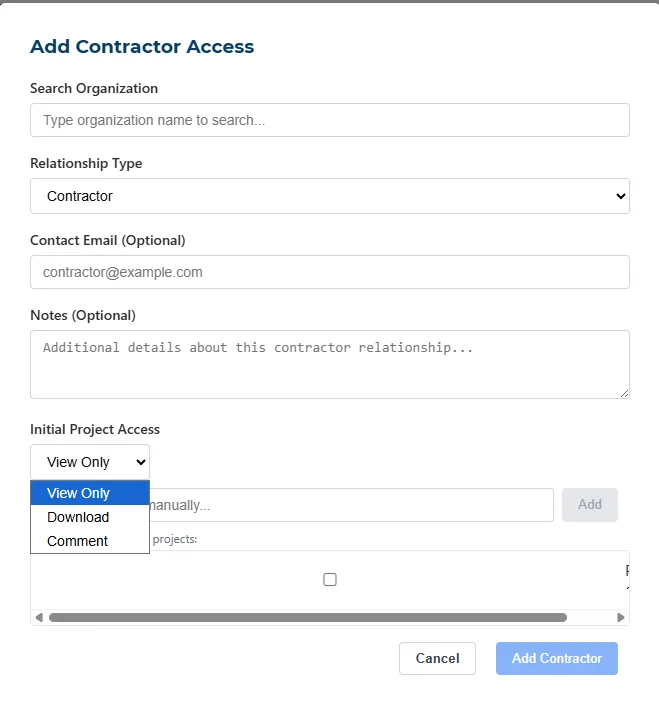
Add a contractor, pick the projects they are on, and choose view, download or comment. They see nothing else. $199 per project, one-time, instead of a monthly seat.
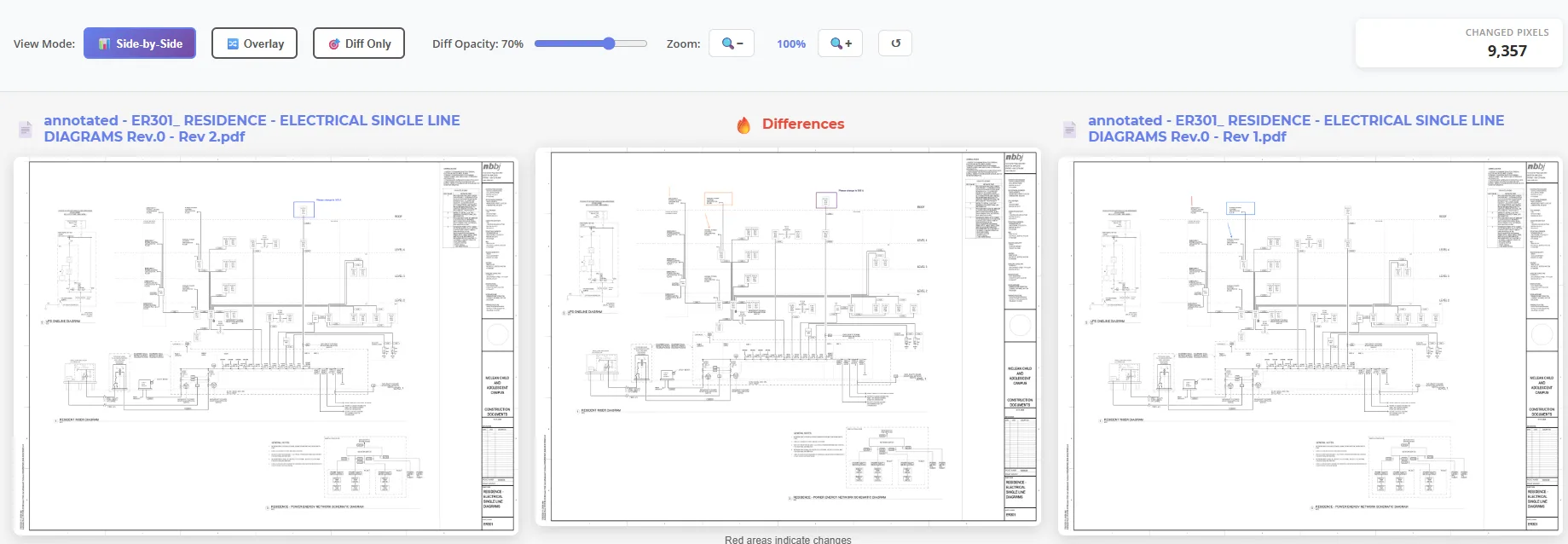
Put two revisions side by side with every changed area highlighted, then let AI explain each change in plain English with a severity rating, instead of an overlay you have to interpret.
A hospital system runs its record archive across 10 sites on ArchiveView, every sheet OCR'd and searchable.
Professional covers up to 50 users. Nobody has to decide who is allowed to look at a drawing.
Contractor access is one-time, scoped to their folders, and ends when the project does.
Scanned paper becomes searchable text on the way in. Ctrl-F finally finds things.
One price for the whole team. No per-user fees. Save 10% with annual billing.
Add-ons on any plan: DWG-to-PDF conversion $49/mo, advanced CAD viewer $79/mo, AI chat $99/mo. Compare against per-seat tools for your team size.
No. ArchiveView is a facilities and construction document system; the terms of use prohibit protected health information. Drawings, O&M manuals, specs, submittals and closeout records are what it is built for.
No formal certification. What exists: MFA, per-file permissions, complete audit logs, encryption at rest and in transit, and SSO on the Enterprise plan. The security page lists the controls in detail.
Access is granted per project. Remove the project from the contractor, or close the project, and their view ends. Every file they opened is in the audit log.
They are yours. You can download everything, including the original files and the metadata, at any time. Nothing is held hostage to a renewal.
Bulk import handles thousands of files in one pass from a CSV, and AI title-block reading fills in metadata for scanned sets without one. Most teams have a working archive in days, not months.
Why hospital drawing archives are harder than any other building type — continuous renovation, multi-building campuses, 24/7 occupancy, constant contractor churn — and what a facilities document system has to do to keep up.
Emailed ZIPs go stale the moment you send them, and shared logins destroy your audit trail. A practical approach to giving subs and consultants exactly the documents they need — and taking access back when the job ends.
A step-by-step method for moving a legacy drawing archive into a document management system: what to leave behind, using the index you already have, AI title-block extraction, content-based duplicate detection, and batch verification.
Thirty minutes, your documents, no canned demo.